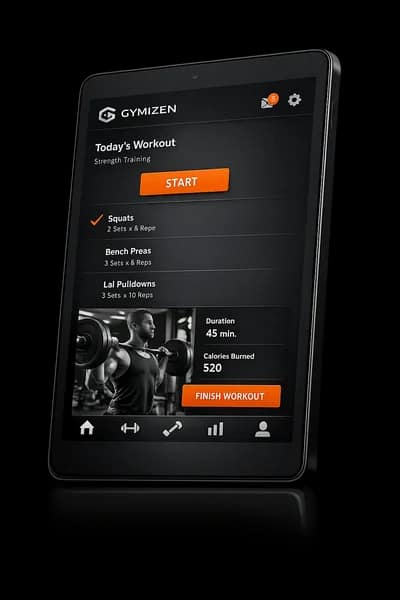

Scheduling
A live schedule that works for operators, staff, and members.
Publish the calendar once, then manage capacity, room usage, and daily schedule changes from the same system your members book through.

Live control
Run the operating schedule from one place
Scheduling should be a working surface, not a static timetable. Teams need to update sessions, watch fill, and keep the week coherent without stitching together separate tools.
- Publish recurring and one-off classes from the same schedule
- Adjust coach assignments, capacity, and timing without rebuilding the week
- Keep the member-facing schedule aligned with the internal operating calendar
Floor model
Support the way boutique classes actually run
Studios rarely operate with a generic seat count. Gymizen supports classes, rooms, and more structured formats so the schedule reflects the floor in front of the team.
- Model rooms, stations, and format-specific capacity rules
- See which sessions are close to target fill and which need help
- Keep location-specific schedules clean across multi-site brands
Outcome
Give everyone one source of truth
When the schedule is reliable, everything downstream improves: member booking, staff readiness, and retention workflows tied to class behavior.
- Members always see the latest availability
- Front desk and coaches work from the same schedule state
- Concierge and automation flows can react to real schedule data
Visuals
See how scheduling looks in the product.
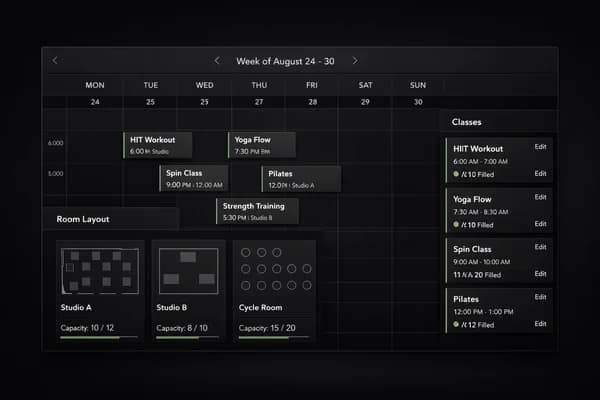
Weekly class schedule and room plan.
Testimonials
What operators say about this workflow.
“Scheduling replaced a manual workaround our team was repeating every day. We can move faster without losing control.”
Avery Chen
Owner, Northline Pilates
“Once we put scheduling inside the same operating system as bookings and member records, the whole workflow finally started to make sense.”
Marcus Bell
General Manager, Foundry Strength Club
Related features
Explore the connected parts of the platform.
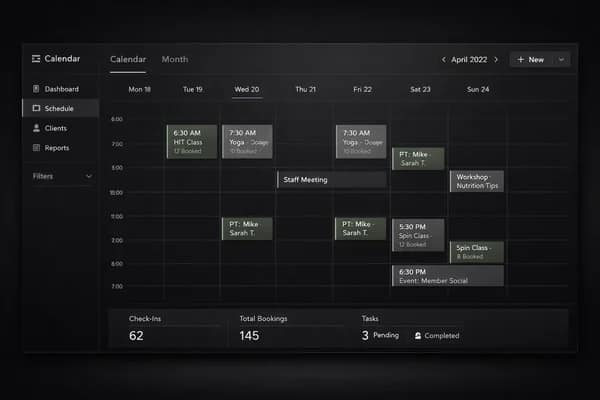
Calendar
Track daily activity, bookings, staff schedules, and operational events from one calendar view.
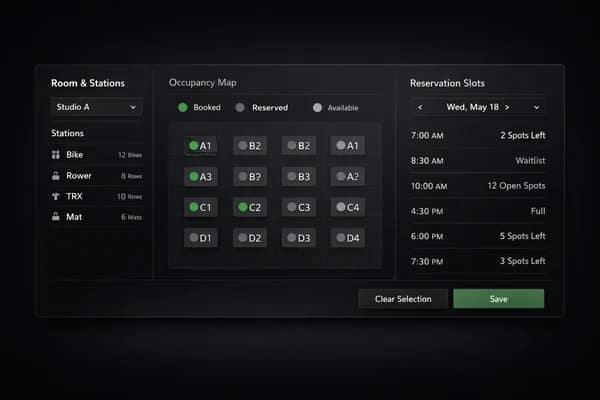
Room & Spot Scheduling
Build custom rooms, stations, and spots for formats that need more than a simple seat count.
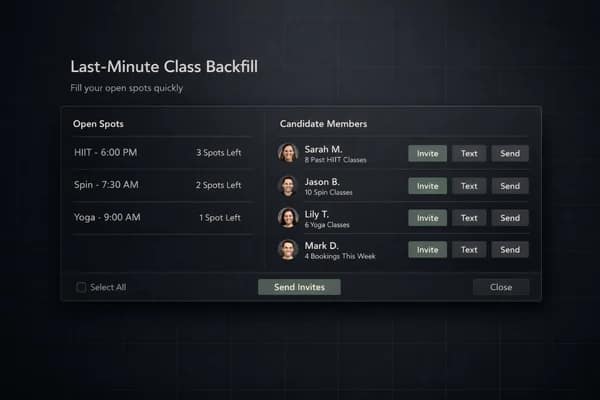
Spotfiller
Backfill last-minute openings with targeted nudges before a class starts empty.
Plan the next step
Follow this workflow into pricing, proof, and the live demo.
Good feature pages should connect the product detail to the next commercial decision. Use these paths to compare plans, read the operator material behind the workflow, or open the demo.
Next path
Gym software pricing
See how scheduling, member management, and reporting map to the Launch, Studio, and Signature plans.
Next path
Boutique scheduling guide
Read the scheduling playbook for class-based operators before you redesign the week.
Next path
Best software for class businesses
Compare the strongest options for class-heavy gyms where schedule quality drives the whole business.
Next path
Try the demo
Walk through scheduling, fill visibility, and class operations inside the product.
Start Free
Start a 30-day free trial or book a guided rollout.
Launch and Studio can start self-serve. Multi-location brands can book a demo for rollout planning, data migration, and commercial terms.